
AI-Powered Marina Management Software for Dock Masters
Your AI assistant, live marina map and online booking tools—in one platform.
Marina Match helps marinas, yacht clubs and private jetty owners manage berths and connect with boaters. Ask AI about today’s arrivals, departures and available berths, then manage bookings, payments, waitlists and offers from your Dock Master dashboard.
From a single private berth to a busy marina, bring your daily operations together while making your berths easier to discover and book online.
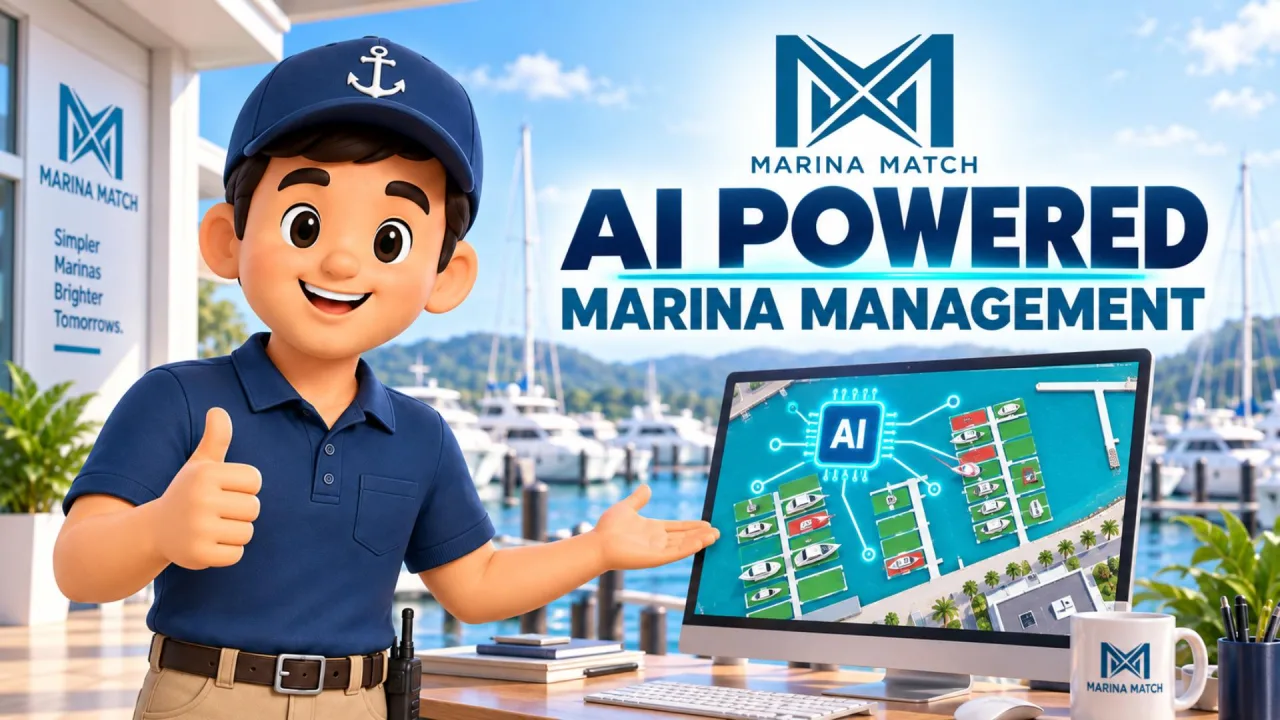
No monthly software subscription. No setup fee. The Marina Match booking fee is paid by boaters.
Explore Marina Match Features
01 / Your Dock Master AI assistant
Meet Marina Match AI. Just ask.
Switch to your Dock Master dashboard and ask Marina Match AI what needs your attention. Built for marina operators, yacht clubs and private berth owners, the assistant helps you find the information you need without searching through every booking, calendar and payment screen.
Start with a daily briefing, then ask for the people, vessels or requests behind it. The assistant uses information available to your operator account and helps you move to the relevant task.
02 / AI arrival and departure updates
Know who is coming and going.
Ask who is due to arrive or depart on a particular day. Marina Match AI can bring up recorded guest names, vessel details, assigned berths and booking references, helping you prepare for arrivals and organise departures.
Use the answer to open the relevant booking and check the next step, rather than working through the entire reservation list.
03 / AI waitlist reminders and berth matching
Keep waiting boaters in view.
Ask the assistant which waitlist requests need a response. It helps you identify who is waiting, the requested dates and the next screen to review.
Follow up by asking which berths are available for the vessel and its proposed stay. Use that information to prepare an offer, suggest another option or respond to the boater.
04 / AI overdue-payment follow-up
Find unpaid fees—including electricity.
Ask Marina Match AI which berthing fees or additional charges are overdue. The assistant can surface the outstanding records and help you find the booking that needs follow-up.
Electricity, liveaboard and other recorded charges stay connected to their bookings. Instead of opening every stay, start with the unpaid items and ask how to review or add a charge.
05 / AI booking-change and stay-request assistance
See what changed—and who needs an answer.
Ask which booking changes are waiting for your attention. Marina Match AI helps you identify requests to extend, shorten or change a stay, with the relevant dates and request status.
It can distinguish requests waiting for your response from priced proposals waiting for the boater. Open the linked booking to review the details, check berth availability and complete the appropriate action.
06 / AI Home Port and permanent-berthing assistance
Keep long-term booking changes in view.
Long-term berthing needs attention too. Marina Match AI can help you review recorded Home Port change requests, including requests to end a contract, and identify whether a response is still needed.
Use the booking details to review the existing arrangement and the request before discussing dates, fees or any proposed refund with the boater.
07 / AI-assisted berth price and size updates
Ask for a change. Review it. Confirm it.
Tell Marina Match AI which berth price or recorded length and width you want to change. The assistant can show the current value and the proposed replacement before asking whether to save.
For a supported update, the change is saved only after your confirmation. The assistant can help set a specified price; it does not independently decide the right price for your marina.
08 / AI availability and blocked-berth review
Understand what is available—and what is blocked.
Ask which berths are available for a particular stay, or which berths you have blocked. Marina Match AI can help review closure dates and whether waiting requests overlap those dates for vessels that could fit.
When your plans change, ask how to reopen dates, block a berth for maintenance or stop it being offered online. The assistant guides you to the calendar or berth settings.
09 / AI berth matching and map-based layout suggestions
Ask where a vessel could fit.
Connect your editable berth map with an assistant that can help you review placement options. Marina Match AI uses recorded berth layout, dimensions, vessel requirements and stay dates to suggest suitable spaces.
For wider vessels, it can suggest adjacent berth pairs where the recorded layout supports them. For other vessels, layout suggestions can help you consider how to use available space while keeping useful gaps clear.
10 / AI-assisted revenue reporting
Ask for a revenue summary.
Ask Marina Match AI for a revenue summary for your marina and a selected reporting period. Use the explanation alongside the underlying report to understand the recorded figures and decide where to look more closely.
Use a clear explanation of the source figures to focus your review and make informed follow-up decisions.
11 / AI-assisted vacancy and occupancy reporting
See how your berth capacity is being used.
Ask for an occupancy and vacancy summary for a selected marina and period. Marina Match AI can help you review the report, understand unused capacity and identify which records deserve a closer look.
Use the summary to plan follow-up on available space, then check individual berth availability before making a new offer or changing an allocation.
12 / AI yacht club membership assistance
Stay ahead of membership follow-up.
Ask how many members are recorded, who has joined recently or whose membership is approaching its end date. Marina Match AI helps you review member status without working through the whole roster.
It can also guide you through adding a member, importing a membership list or finding membership settings, so the next administrative step is easier to locate.
13 / AI assistance around berth sale listings
Bring listing enquiries into your daily follow-up.
From the Dock Master dashboard, ask about unread enquiries and where to manage your sale listings. Use that help to move from an enquiry to the listing details you need to review.
For prospective buyers, Marina Match’s separate boater-facing AI can search published berth sale listings by criteria such as location, vessel size and asking price. That is a discovery service—not access to a seller’s private dashboard.
14 / AI daily follow-up and operational reminders
Keep the small tasks from disappearing.
Ask about unread messages, unanswered enquiries and recorded insurance that has expired or is approaching expiry. Marina Match AI helps you identify follow-up work alongside the day’s arrivals and departures.
When a departing booking includes a key deposit, ask how to handle the return through the booking workflow. Check that the key has actually been returned and review the deposit conditions before acting.
15 / AI workflow guidance in the Dock Master dashboard
Not sure how? Ask your assistant.
You do not need to remember every menu path. Tell Marina Match AI what you are trying to do, and it can provide the available workflow steps and a link to the relevant management screen.
Ask how to add an electricity charge, respond to a waiting boater, update berth details, place berths on the map or manage members. When an exact guide is unavailable, the assistant should say so rather than invent instructions.
Cloud foundation
AI-powered marina management on AWS cloud infrastructure.
Marina Match combines its AI assistant with an AWS-hosted marina management platform. The cloud foundation supports growth in berth records, booking activity and connected services, while the assistant brings operational information into everyday conversations.
The Dock Master assistant is powered by Google Gemini, running inside Marina Match’s AWS-hosted platform. Gemini writes the answers; the figures, names and dates in them come only from Marina Match’s own booking, berth and membership tools, and Google does not use these conversations to improve its products.
Capacity to grow
AWS provides options to increase computing capacity as demand grows. Marina Match can use that foundation to plan for more operators, more bookings and more AI requests—not just a larger website.
A connected smart booking system
The assistant works with Marina Match’s booking and berth tools. Dates, dimensions and recorded availability inform supported searches, while changes remain subject to the platform’s checks and permissions.
Cloud-based delivery
The service runs online, so marina teams do not need to maintain a local AI server. Application improvements can be deployed centrally rather than installed separately at every marina.
A foundation for resilience
AWS offers managed infrastructure and monitoring options that can support capacity planning, recovery and service maintenance. Actual resilience depends on how those services are configured and tested.
A platform for further AI development
Separating the assistant from controlled operational tools creates a practical way to add supported capabilities as the platform develops—without giving the model unrestricted control of marina records.
AWS supports these capabilities; enabled scaling, recovery and monitoring settings require deployment verification. No uptime or performance guarantee is implied.
How the assistant is designed
Purpose-built AI. Defined permissions. Operator control.
A useful marina assistant needs more than a convincing answer. It needs the right records, access limits and a controlled way to help you act.
Operator-specific access
Dock Master AI tools are designed to check the signed-in operator’s authorised marinas before retrieving their records. Public boater tools and private host tools have separate access scopes.
Answers connected to records
The assistant uses defined tools for supported booking, berth and membership questions. When it cannot check the data, it should tell you rather than supply a made-up result.
Confirmation before supported changes
For supported berth price and size updates, the assistant presents the existing and proposed values before asking whether to save. Most other actions remain in their management screens.
Cloud controls plus application controls
AWS protects its underlying cloud infrastructure. Marina Match remains responsible for application permissions, deployment configuration and the handling of customer information. Cloud hosting is not, by itself, a security certification.
Always review important operational and financial information before acting. AI assistance does not replace safe marina operations or professional judgement.
Start with the berths you want to manage.
Use the assistant for the listings and records connected to your Dock Master account. Start with selected berths or use Marina Match more broadly as your operating needs grow. Keep external-system availability aligned where no integration exists.
No monthly software subscription or upfront setup fee for Dock Masters. Boaters pay a 3.5% booking fee, displayed before payment. AI features are subject to the capabilities enabled for your account.
Questions about the Dock Master AI assistant
How do I access the Dock Master AI assistant?
Sign in to Marina Match, switch to Dock Master mode and open the AI assistant from your dashboard. Ask a question about the marina or berths you manage.
Is the assistant only for large marinas?
No. The Dock Master workflow is for marina operators, yacht clubs, private jetty owners and individual berth owners. The available answers depend on the listings and records connected to your account.
Can the AI change my berth prices?
For supported berth price changes, the assistant shows the existing and proposed values and asks for confirmation before saving. Existing bookings retain their booked price. It does not independently choose new prices.
Can the AI change bookings, reopen berths or refund guests?
It can help you review information and find the next steps. Those actions remain in the appropriate management workflows; a question to the assistant is not an approval or payment instruction.
Does the AI know whether a vessel is physically at its berth?
Arrival, departure and availability answers use records held in Marina Match. They should not be treated as automatic camera, AIS or sensor confirmation of a vessel’s physical presence.
Do I need to replace my existing marina management system?
You can begin with selected berths and use Marina Match for the activity recorded there. Keep records and availability aligned when operating two systems; the assistant cannot automatically read a separate system that has not been integrated.
Your next working day can start with a question.
Open your Dock Master dashboard and ask: “What needs my attention today?” See the outstanding work, check the details and decide what happens next.